

Transform Your Gravity Forms with Advanced Geolocation Tools
Explore features designed to simplify and enhance location based interactions in your Gravity Forms.
Advanced Geolocation Fields
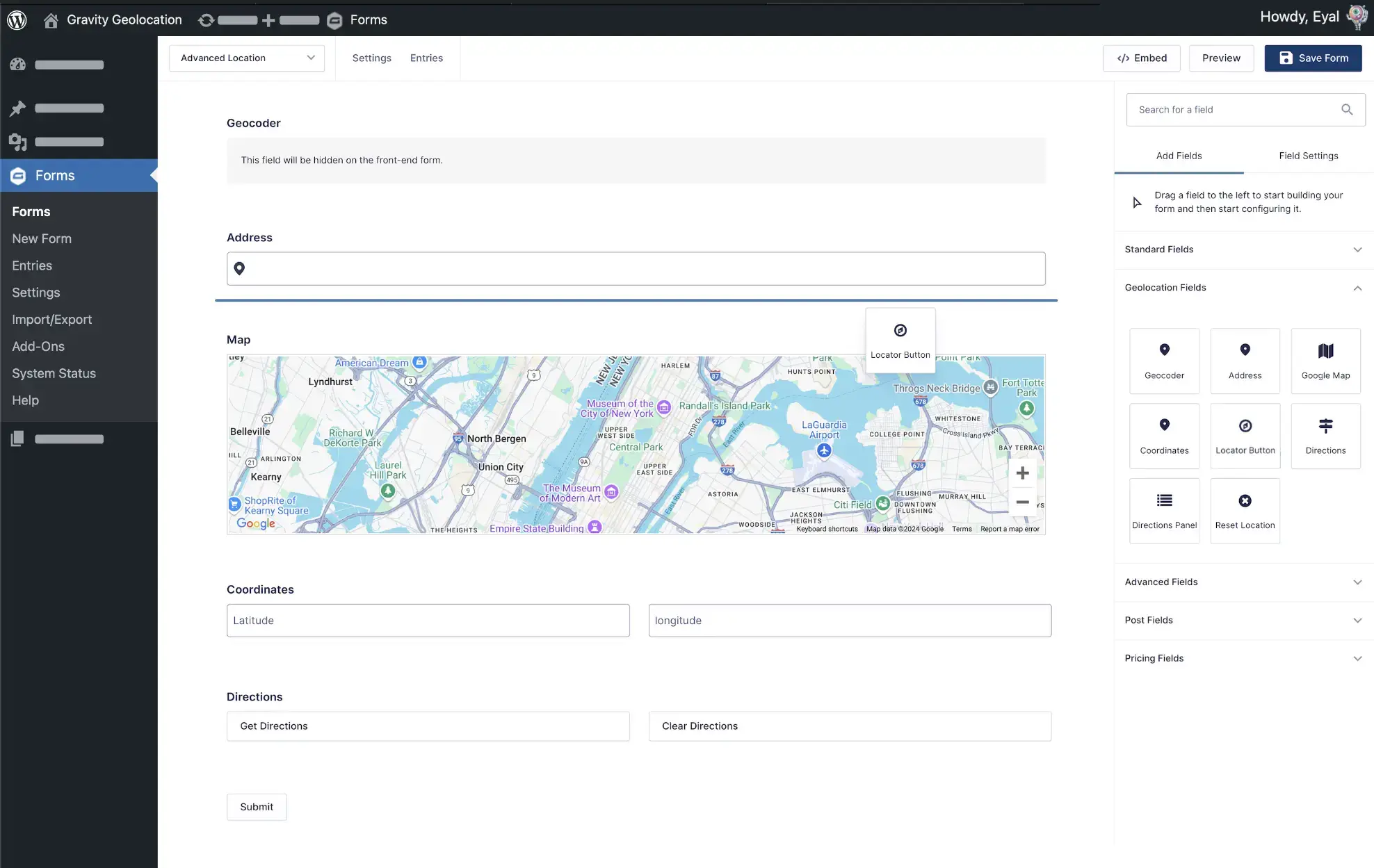
Add accurate and flexible geolocation fields to your forms, including address, map, and coordinates fields, for simple and precise location based data collection.
Seamless Integration
Add, edit, or remove geolocation fields with ease. Every field works just like a native Gravity Forms field, giving you a smooth and efficient setup experience.
Effortless Geolocation Tools
Build powerful geolocation forms with address fields, map fields, and coordinates fields that work together to meet any location based requirement.
Multi Point Directions
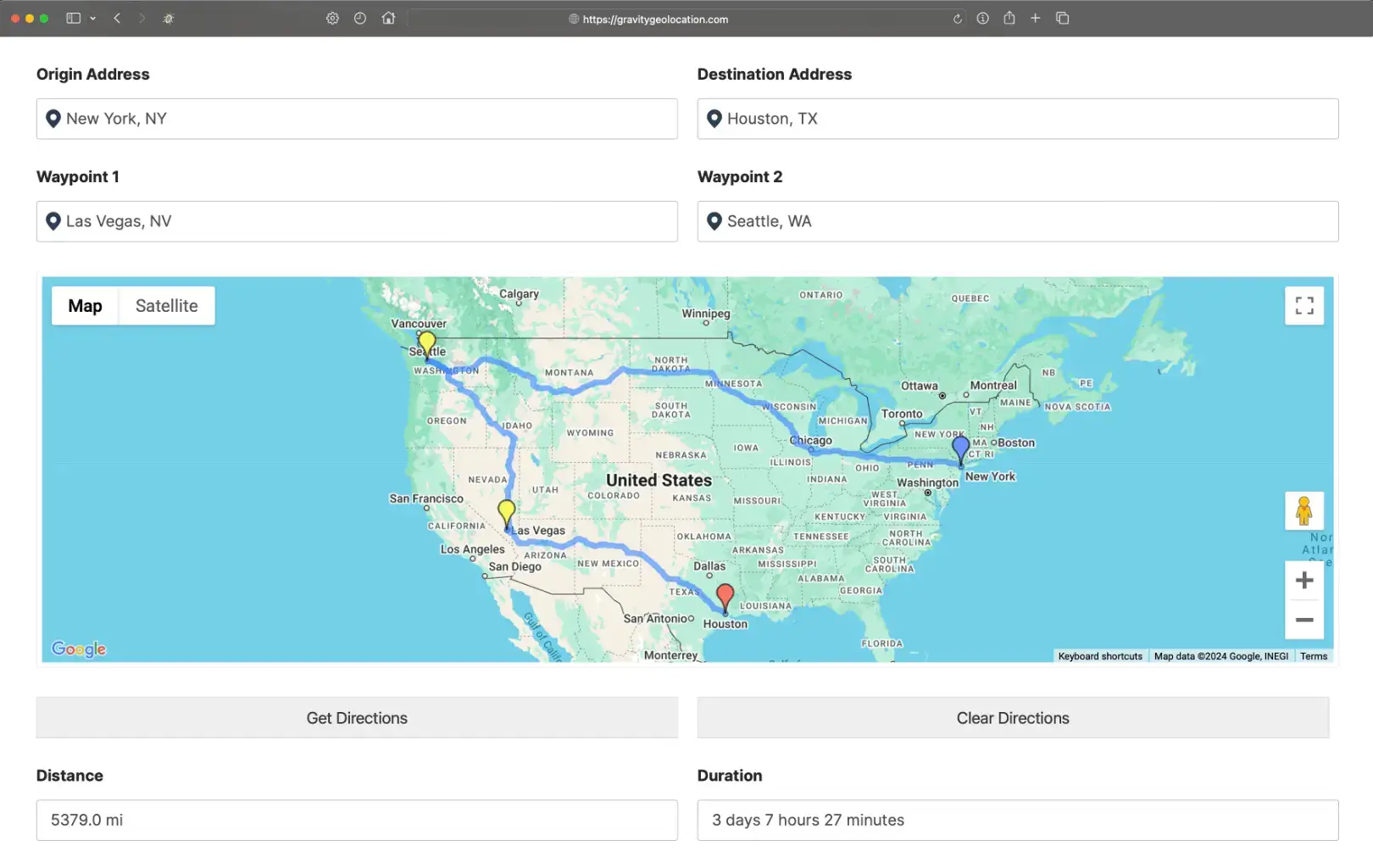
Calculate and display detailed directions between multiple locations inside your form. Perfect for mapping routes, measuring distance, and estimating service costs.
Drawing Tools and Shape Fields
Create and capture map based shapes like circles, rectangles, polygons, and labels. Ideal for visual mapping, advanced workflows, and interactive form experiences.
Nearest Locations Search
Find the closest location from a list of known places. Great for store locator forms, pickup point selection, service area assignments, and similar workflows.
Automated Distance Based Logic
Use distance calculations to power smart form behavior including conditional logic, dynamic pricing, eligibility rules, and restricted submissions.
Interactive Mashup Map
Display multiple locations on a single interactive map. Showcase submissions, store locations, or any custom location data collected through Gravity Forms.
Geolocation Workflows
Build custom workflows using geolocation inputs. Restrict fields to specific regions or validate location accuracy with configurable rules.
Location Based Form Pre Filling
Automatically pre fill fields using the user's current location to streamline form completion and create a faster, more intuitive experience.
Dynamic Location Data Sync
Keep all geolocation fields in sync. Address fields, map fields, and coordinates fields update each other in real time for consistent and accurate results.
Smart Location Logic
Use live geolocation data to control visibility, actions, and field choices. Build forms that respond intelligently to the user's location.
Fuel Your Gravity Forms with Powerful Geolocation and Mapping Tools
Explore a complete set of tools designed to enhance your forms with accurate geolocation and advanced mapping features. Build smarter forms that respond to real location data and deliver a faster, more intuitive experience for your users.
Complete Geolocation Tools
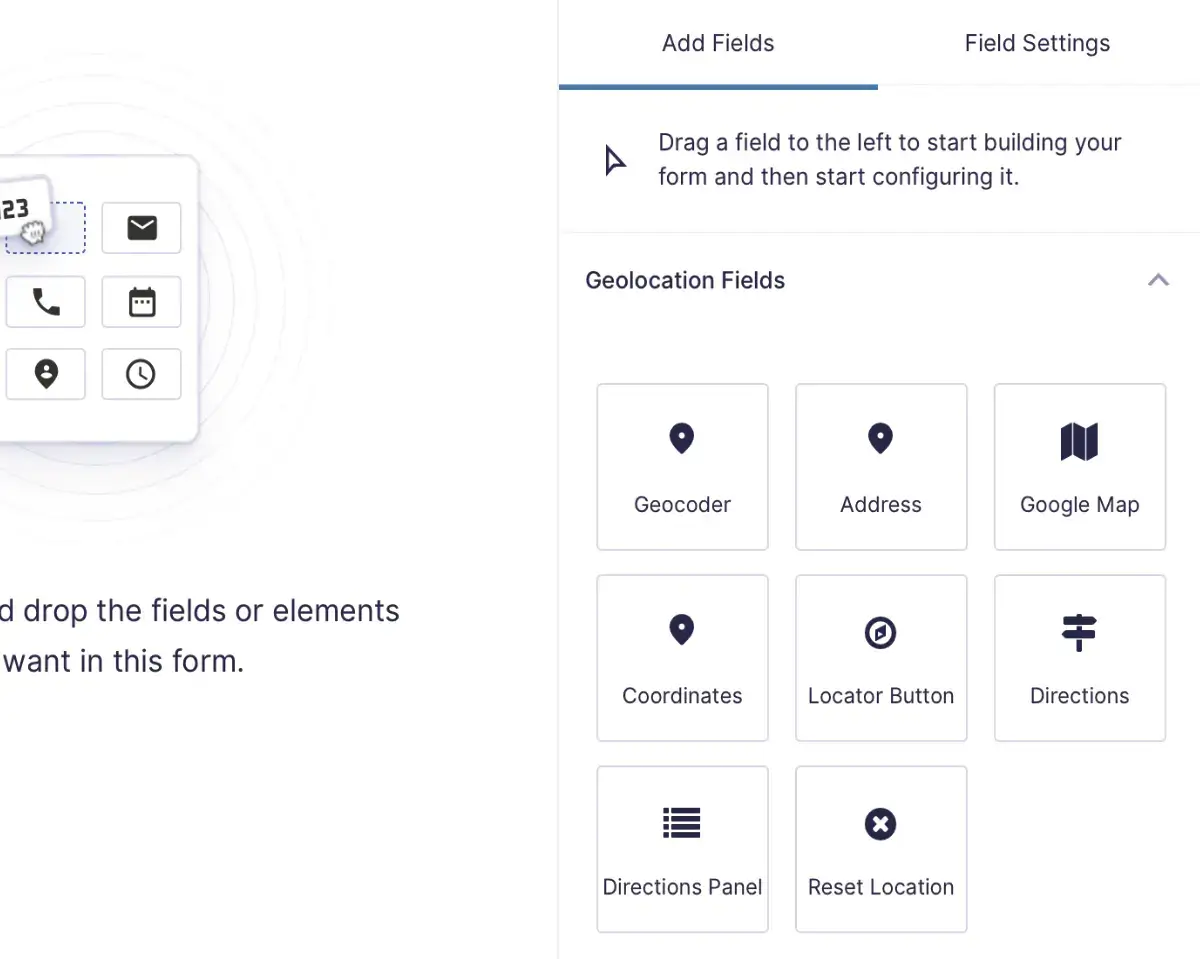
- Address Field with Autocomplete for accurate inputs.
- Coordinates Field for capturing latitude and longitude.
- Locator Button for quick user location detection.
- Map Field for visual location selection.
- Directions Field for route planning and distance calculations.
Seamless Geolocation Integration
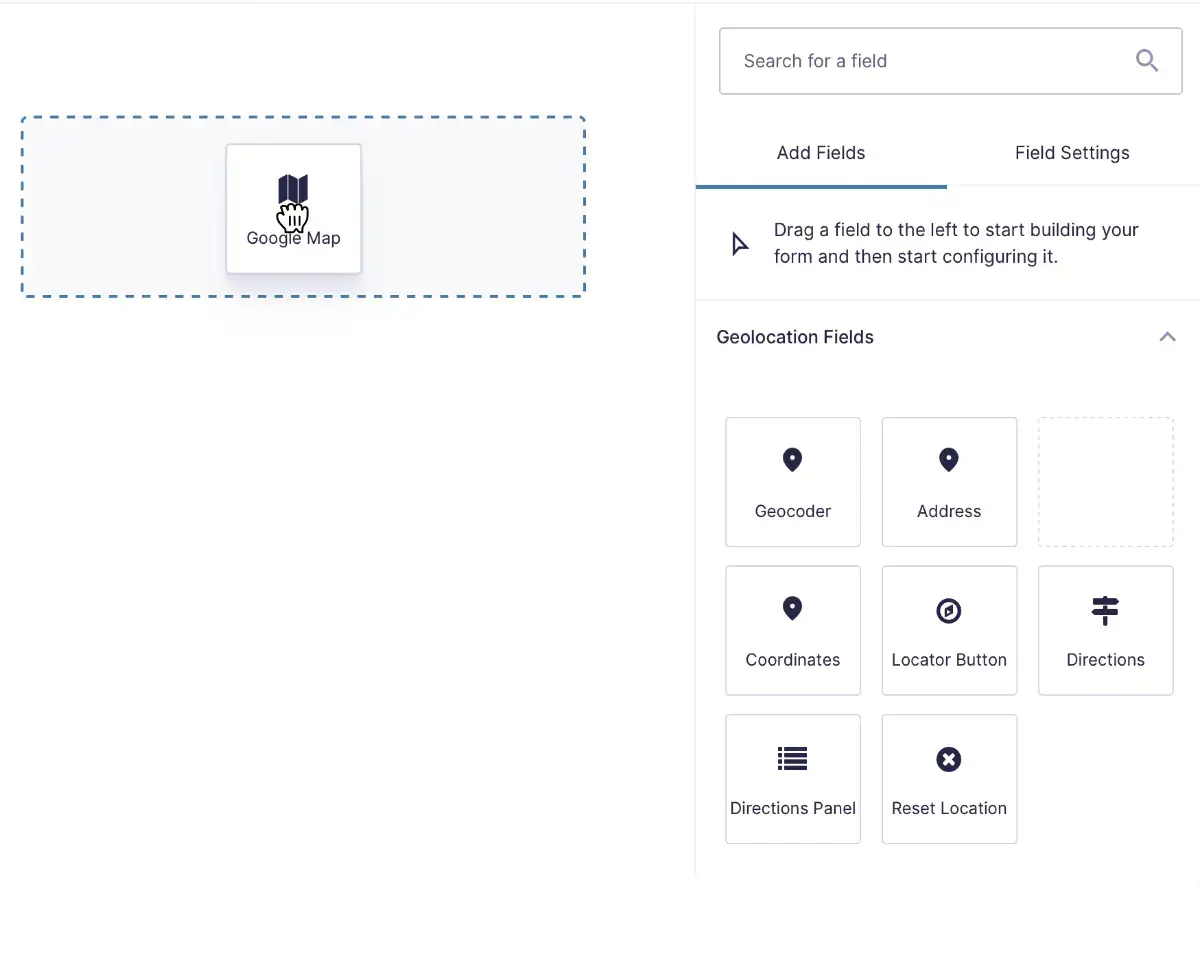
- Add, edit, or remove geolocation fields with easy, just like any other Gravity Forms' field.
- Drag and drop interface to position geolocation fields effortlessly.
- Fully compatible with Gravity Forms calculations, conditional logic, and other core features.
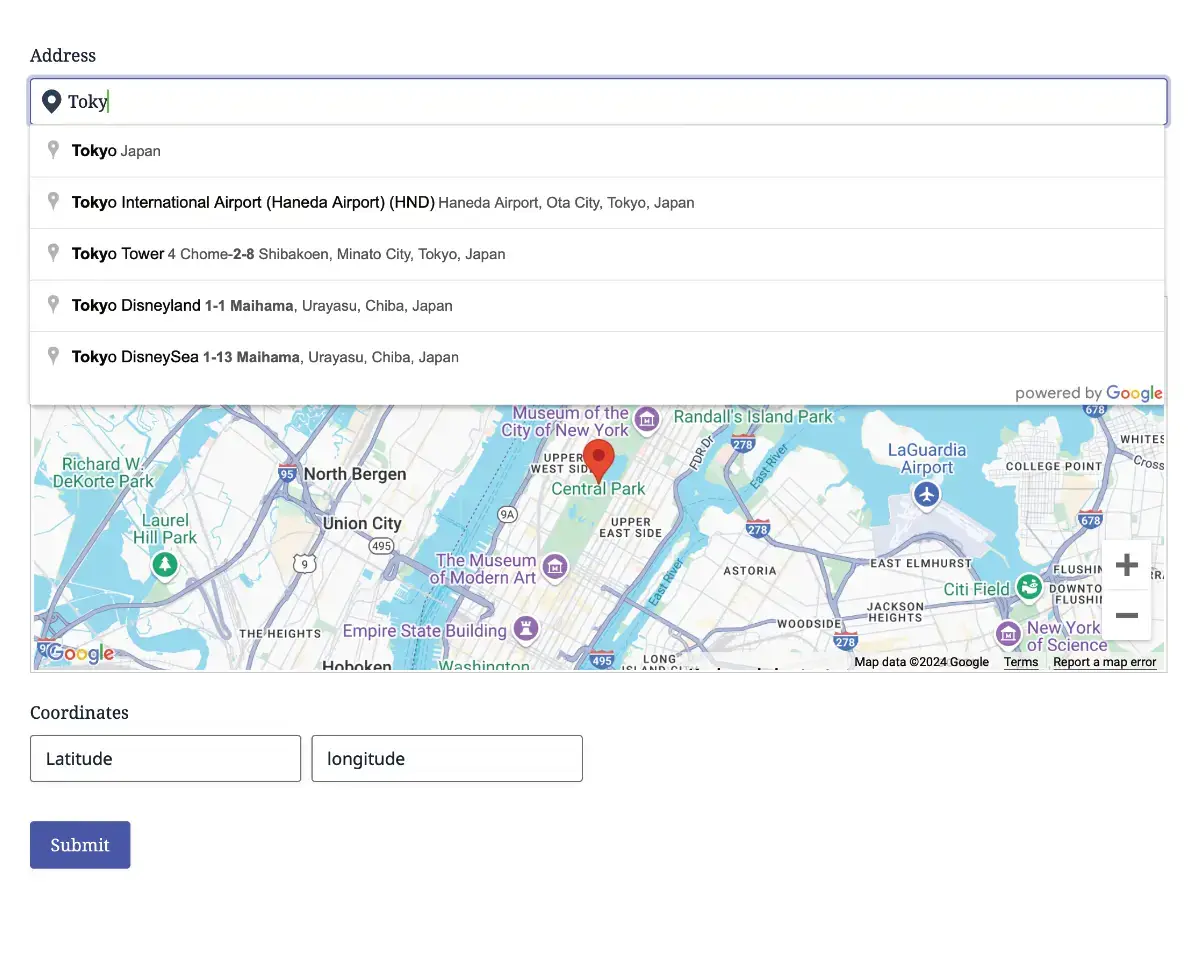
Versatile Geolocation Forms
- Capture a specific location using a single geolocation fields group.
- Add multiple groups of location fields to collect detailed geolocation data.
- Directions Forms to find and display directions between multiple points.
- Calculate costs based on travel distance or duration.
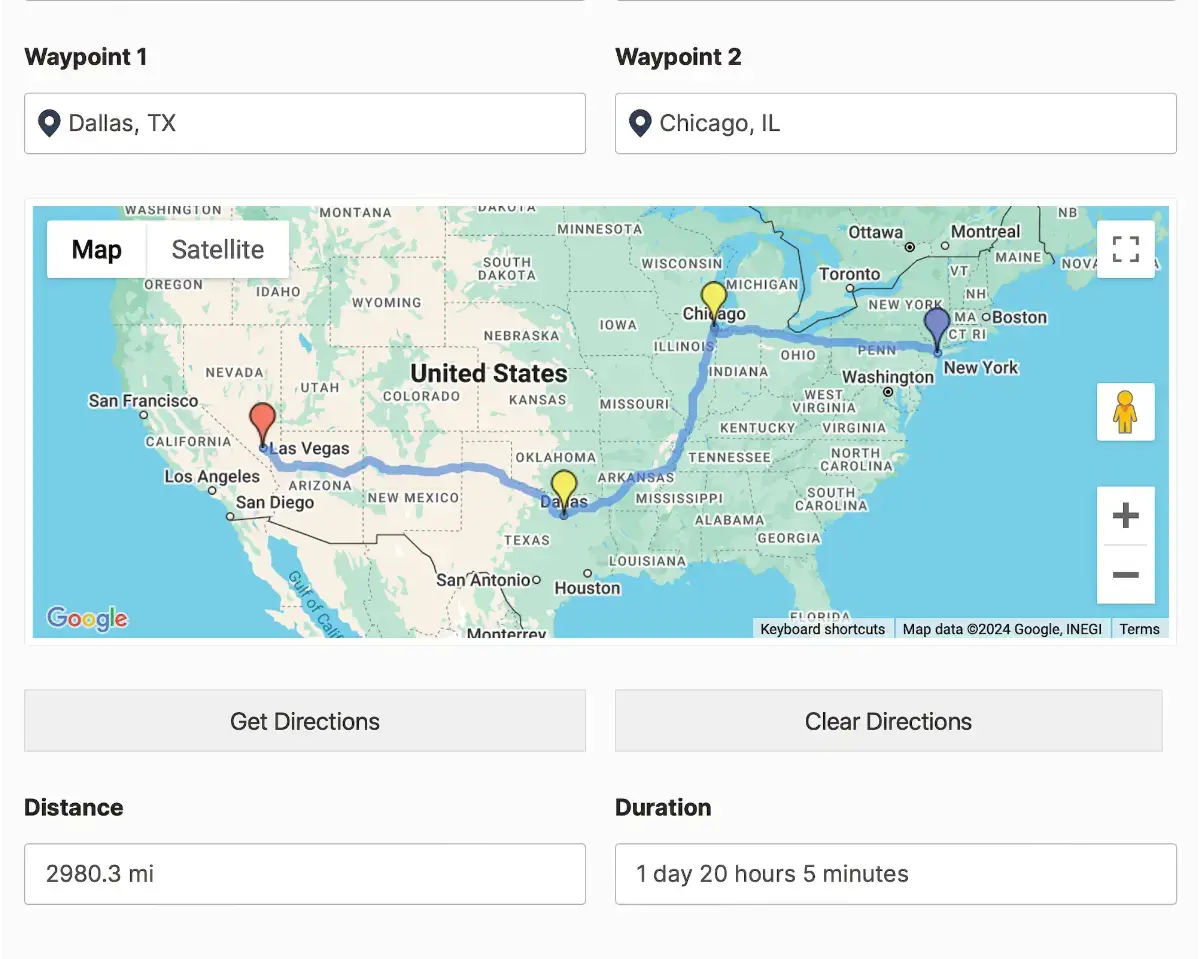
Route and Distance Solutions
- Calculate and display detailed directions between multiple locations.
- Map routes directly within your Gravity Forms.
- Measure distances and estimate costs for services like delivery or shipping.
- Ideal for advanced geolocation needs in Gravity Forms.
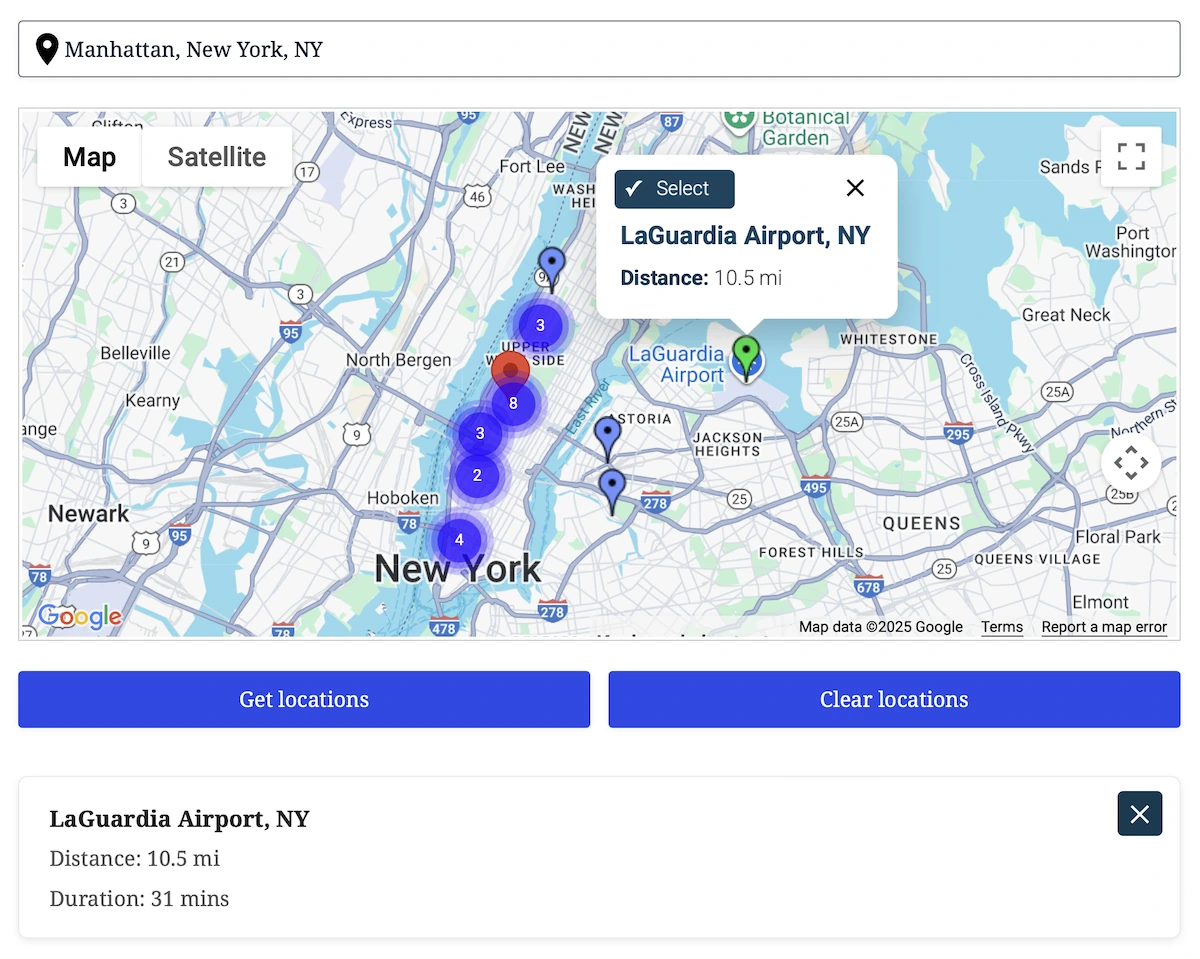
Nearest Locations Search
- Find the closest destination to any address or map point, directly inside Gravity Forms.
- Instantly calculate which destination is closest using driving distance or straight line radius filtering.
- Load destinations from manual lists, CSV/JSON, or your own database table with custom column mapping.
- Show all nearest matches on the map with clickable markers, live info windows, and optional auto select.
- Send the selected location into address fields, panels, or hidden inputs. Perfect for store locators, service areas, and routing workflows.
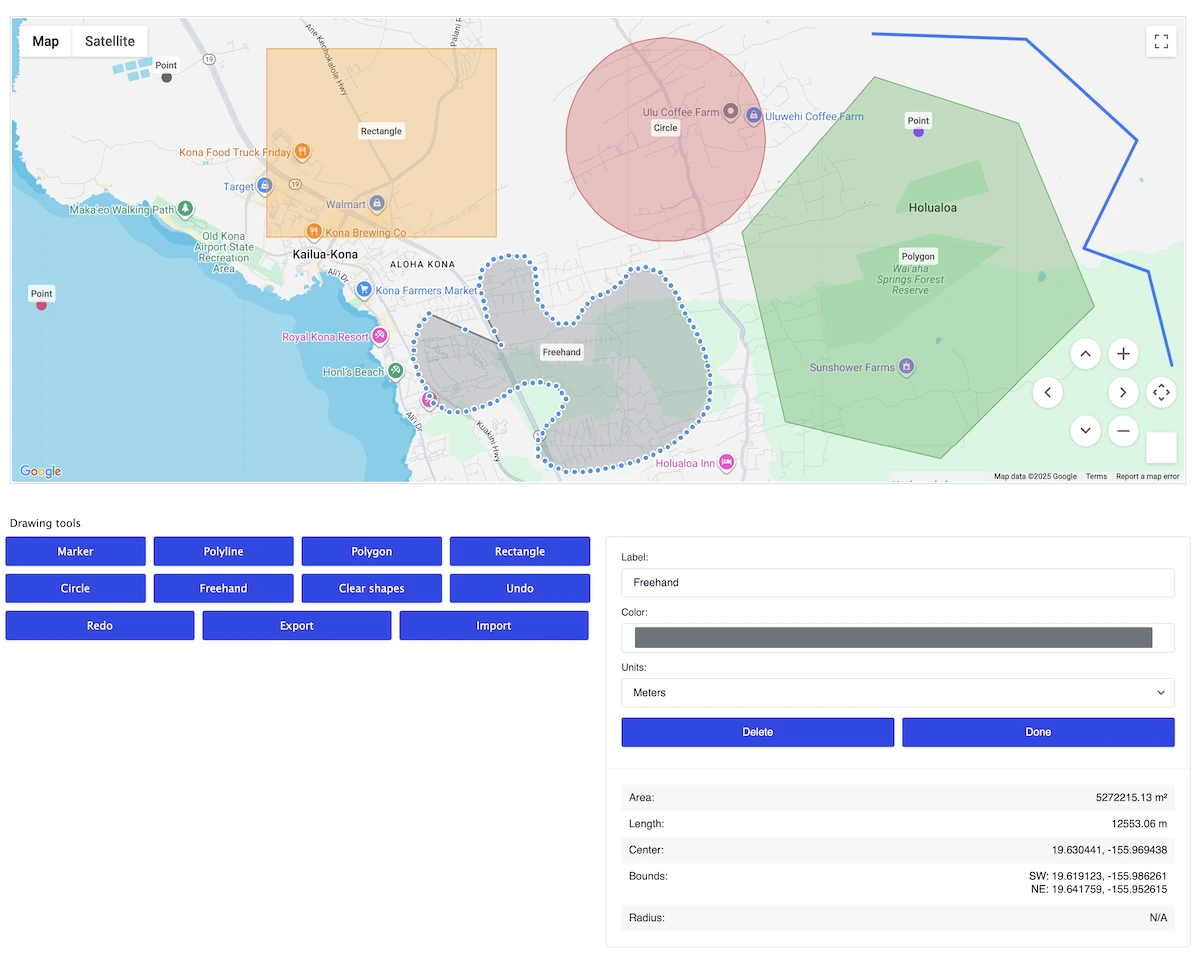
Drawing Tools & Shape Field
- Allow users to draw markers, polylines, polygons, rectangles, circles, or freehand paths, all within a single map.
- Users can resize, move, recolor, rename, or delete shapes with an intuitive editing panel.
- Automatically calculate area, perimeter, length, radius, and center point in real time.
- Export shapes as GeoJSON and store them directly with the form submission for later use, processing, or visualization.
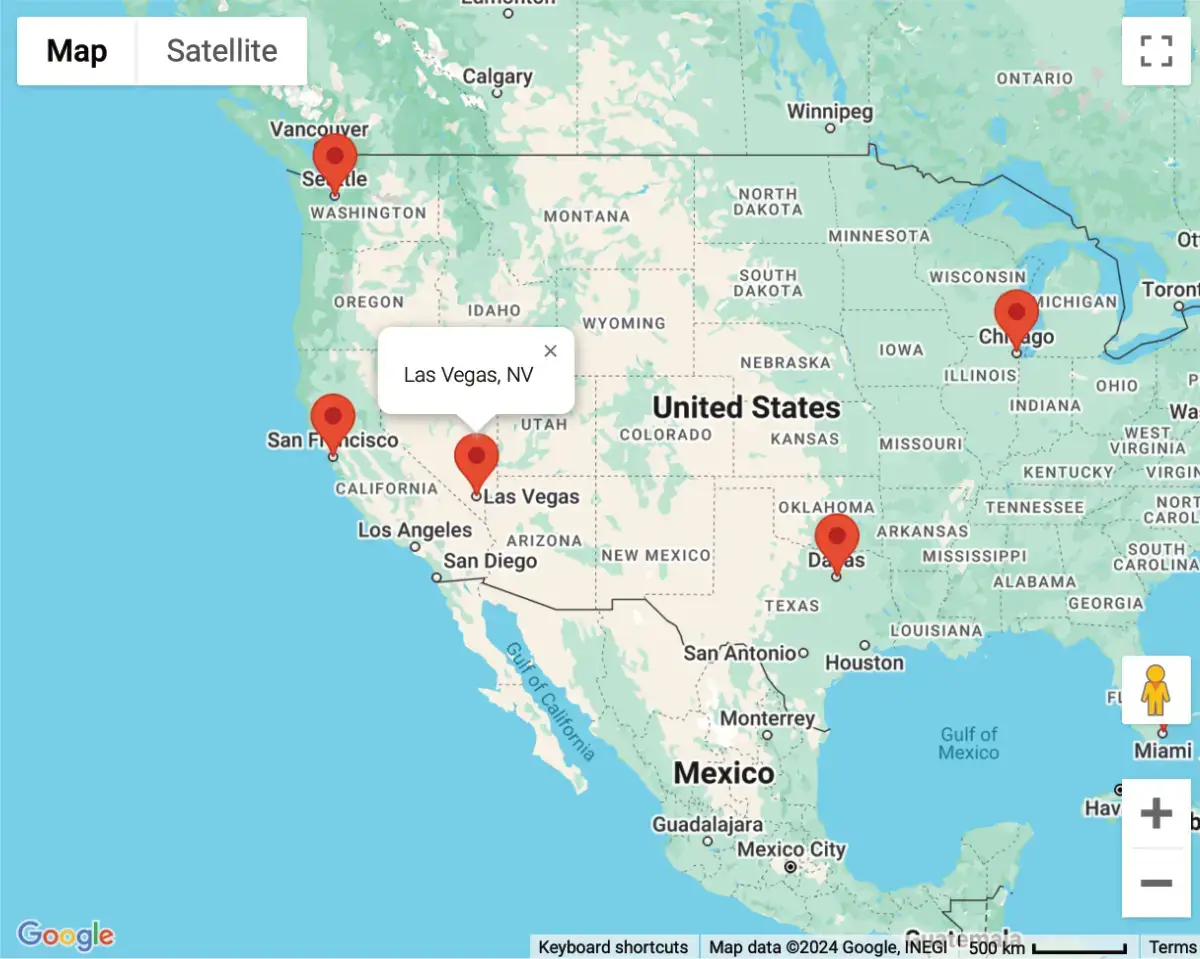
Interactive Mapping Made Simple
- Showcase multiple locations on a single, interactive map.
- Perfect for displaying user submissions or store locations.
- Easily visualize custom geolocation data collected through Gravity Forms.
- Seamlessly embed maps on any page using a shortcode.
Setting New Standards in Geolocation Solutions
Committed to excellence, raising the bar with every feature and update.
Built with precision and care, our code meets industry standards to deliver secure, reliable, and adaptable solutions for your geolocation needs.
Engineered for flexibility, our code is easy to extend, customize, and integrate, equipped with hooks, filters, and a clean architecture for developers.
Our updates ensure your tools stay cutting edge, bringing new features, optimized performance, and compatibility with evolving platforms.
Try with confidence, explore the features and benefits risk free for 14 days, and if it’s not the perfect fit, we’ve got you covered.
Unlock the full potential of our tools with detailed documentation, offering step by step guidance and insights for every feature.
Our expert support team is always ready to assist, providing personalized solutions and ensuring you succeed at every step.
See It in Action - Try the Demo Now
Choose Your Plan to Unlock the Full Potential of Gravity Forms
Starter
.00
/Year
- Geocoder Field
- Address Field
- Map Field
- Coordinates Field
- Locator Button Field
- Auto Locator
- IP Address Support
- Dynamic Location Field
(auto-populate location values)
Pro
/Year
- Directions Field
- Directions Panel Field
- Dynamic Directions Field
(auto-populate directions values) - Distance Field
- Dynamic Distance Field
(auto-populate distance values) - Single Entry Map Shortcode
- Mashup Map Shortcode
Agency
/Year
- Nearest Locations Field
- Nearest Location Panel
- Drawing Tools Field
- Drawing Shape Field
- Dynamic Drawing Field
(auto-populate drawing values)
Special introductory pricing applies to the first year—renewals are billed at the regular price. You can upgrade or cancel your plan at any time. Each plan includes its own set of features, site limits, automatic updates, and premium support—backed by our 14-day money-back guarantee.
All purchases are securely processed on GEO my WP, our parent site, where you can access your account, support, and updates.